Achieve the results you want with consistency and confidence. It all starts with an understanding of knitting gauge! Join designer and instructor Sarah Peasley to learn all about gauge as you follow along using three exciting patterns included with this class: a hat, a shawlette and a cowl. To begin, Sarah will guide you through the many factors that can affect your gauge and demonstrate why it's important that you check your gauge. It matters in flat knits such as scarves, too! Then, you'll discover tips and new techniques for calculating gauge before Sarah shows you how to use your swatch to preview the effects of blocking on your fabric. Think a pattern will look better in a different gauge? You'll also see how to alter your pattern to substitute in the fabric you want. Plus, you'll discover how gauge can help you predict characteristics of your finished project!
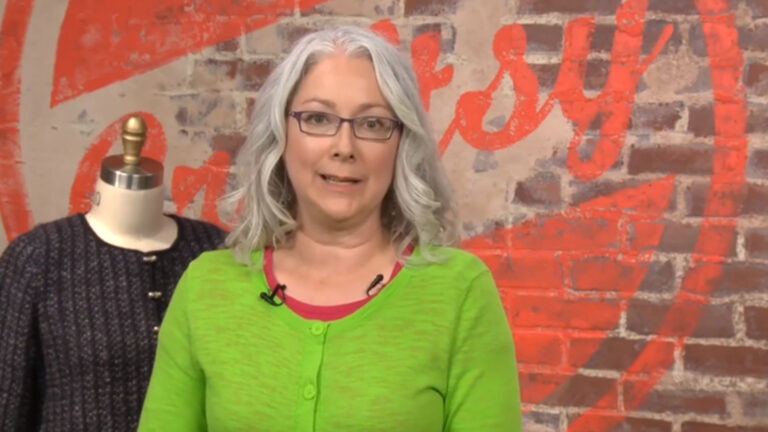
Meet knitting expert Sarah Peasley, your guide to using gauge for better knitting. Sarah outlines the three swatches and three projects -- a cowl, shawl and tiny hat -- that you'll work with in class. The patterns are included!
Many factors can affect your gauge and change the look of your project: the yarn's weight, fiber or how it's spun or processed; needle types and sizes; how you knit; and even your state of mind! Sarah explains them all.
For a fitted garment such as a hat or sweater, you'll want to swatch to make sure your gauge matches the pattern. Even for projects such as shawls and scarves, swatching will tell you how the material will drape, whether your needles are comfortable to use and how the stitch pattern looks.
You can count on Sarah to show you a variety of ways to measure your gauge for the most accurate results possible! Learn how to check both stitch and row gauge in stockinette as well as in other stitch patterns.
For any project you plan to wash, you should wash the swatch, too. Sarah shows how to wash and block swatches with water or steam and how to pin them out. You'll see how blocking affects a variety of stitch patterns and fibers. The changes are sometimes dramatic!
Your gauge doesn't match the pattern's, but you prefer the fabric it creates. Now what? Sarah walks you through three ways of altering pattern numbers to make them work for your gauge. Or maybe you want to design your own pattern. Learn Sarah's tips for getting started.
A swatch can tell you a lot about your project before you even cast on: How does the fabric feel? Was the yarn pleasant to work with? Can you see the stitch pattern? Your swatch can help predict if your project will be a success, and help you figure out how much yarn you will need. Sarah shows you how!
Sarah Peasley
Knitting is Sarah Peasley's one true love! A knitter for as long as she can remember, Sarah started teaching at her local yarn shop and in 2006 became a regular instructor for Stitches and other national events. Since then, she's been a technical editor for a variety of knitting publications, including Knitter's Magazine and XRX Books. Today, designing is her day job, but Sarah enjoys teaching more than ever. It's what connects her with enthusiastic and curious knitters just like herself. She teaches the way she would like to be taught: with patience, clarity, humor and all those extra little tidbits that make for smarter and happier knitting.
Getting Gauge - Resources and Patterns
Bonus Materials available for download after purchase.
Can I purchase a class to keep in my collection?
Yes, we do have a Shop where you can purchase classes to keep. Our Shop items are located under the Shop Tab.
How do I know what the Class covers?
Every Class has a free Preview video you can watch, to give you a flavor of the Instructor and the skills or project that will be covered. In addition, the Overview tab includes a thorough written description of the Class. And finally, each Class Session has a brief written summary of the content in that Session, including the length of each Session video. You will get a good feel for the Class content by reviewing these resources.
Do I have to be a Member of Craftsy to purchase a Class?
No you don’t. While Premium Members will receive regular offers for special deals on Craftsy content, Classes are not reserved exclusively for Members. If you buy a Class as a non-member, we’re sure you’d also enjoy having access to our full library of great projects and articles as a Member, so give it a try.
How do I purchase a Class?
First you should decide that the Class is what you want. Review the Class Preview video and the various written descriptions of the Class and each Session before you purchase, so you have a good understanding of the Class content. When you’re ready to purchase and gain access to the Class, simply click the “Add to Cart” button, and proceed through the Checkout process.
How do I access/view my Class?
Once you’ve paid, you can access/view your Class by going to the MY ACCOUNT section of Craftsy. The MY ACCOUNT link is in the upper right-hand area of the website. Within your MY ACCOUNT, a section labeled “My Content” is where the class you purchased will appear, including a link to watch the video of your Class. You’ll also receive an email confirmation after your purchase, which will include a link to view your Class. You can access your Class as many times as you wish, and you’ll never lose access to your Account information. Just be sure to “Log In” for access to MY ACCOUNT.
Do I have to take the Class right away?
No. Any Class you buy will be accessible to you always. You can view your Class whenever you want, and you can view individual Sessions in whatever order you like.
Is there a limit on the times I can view my Class?
No. Your access never expires. You can view any Class you purchase as many times as you want, whenever you want.
Can I view a Class on my tablet device or mobile phone?
No problem. Most newer-model smartphones or other mobile/tablet devices with an internet connection are able to play the Class videos. Simply Log In to Craftsy, and you can view any Class you’ve bought through the MY ACCOUNT section. Or, you can click on the “View Class” link within the email confirmation you’ll receive upon your purchase.
How do I get access to the Bonus Materials for the Class?
Until you purchase a Class, the Bonus material (any extra videos, download materials, etc.) will not be accessible. Once you purchase a Class, and go to view your Class, each individual Bonus element is accessible by simply clicking on each item. You’ll find the Bonus Materials directly below your main Class viewer frame. You can access the bonus materials as many times as you like and/or save them to your device.
How does the Class Q&A Resource benefit work?
Once you purchase any Class, within the Class viewing page, you’ll have access to post a question, comment or tip in the Class Discussions. This is not a “live chat,” but Craftsy contributors will answer posted questions and provide tips regularly. You can also view other Class participants’ questions and input to take part in this virtual dialogue among others who have taken the Class and are willing to share tips, answers, or ideas.
Can I print out Class details?
For any Bonus Material that is a PDF Download, yes you can. Just click on the icon/button for the Bonus element you want and print with your local printer.
What are PDF downloads?
These are simply documents, plans, or written materials that are formatted in a way to print out and retain for reference. By simply clicking on the icon/link for any PDF Download that is included with a Class, you can print that document on your own printer or simply view the contents on your computer/mobile device.
Are there any system requirements to view the Class video content?
Your Class video content is best when viewed on a computer manufactured in the past couple of years with a good broadband Internet connection (not dialup). We also highly recommend using the latest version of Firefox, Safari, or Chrome as your Internet Browser, though recent versions of Internet Explorer will work as well. The recommended screen resolution is 1024 x 768 or larger.
Why do you need my email?
We need it to acknowledge your purchase of a Class, and send you a confirmation of your transaction. Also, to maintain your permanent access to the Class videos, you’ll need to Log In to craftsy.com. We guarantee that we will not share your email with any third parties. You may receive email updates from Craftsy from time to time, with details of new Classes and updates. You can easily unsubscribe when you receive any email.
Can I get a refund if I don’t like the Class?
Because you’ll have full access to all the materials and content that is presented in the Class immediately, we can’t offer a refund after purchase. Please review the Class Preview video and the various written descriptions of the Class and each Session before you purchase, so you have a good understanding of the Class content.
How do I contact Craftsy?
If your question is about the Class content, please use the Contact Us Link – and you'll receive feedback from the Class Instructor. Even your fellow Class participants may jump in to offer tips and advice from their experience. If you have other questions or need help, you can email us at craftsy@program-director.net or call us toll-free, at 1-888-891-7203 . Customer Service Representatives will be available Monday-Friday, from 8:00 AM to 4:30 PM Central time, excluding normal holidays.
Explore Classes by Sarah Peasley
You may be interested in
Sign up for our free newsletter today
Get the latest crafting videos, tips, patterns and techniques delivered right to your inbox.