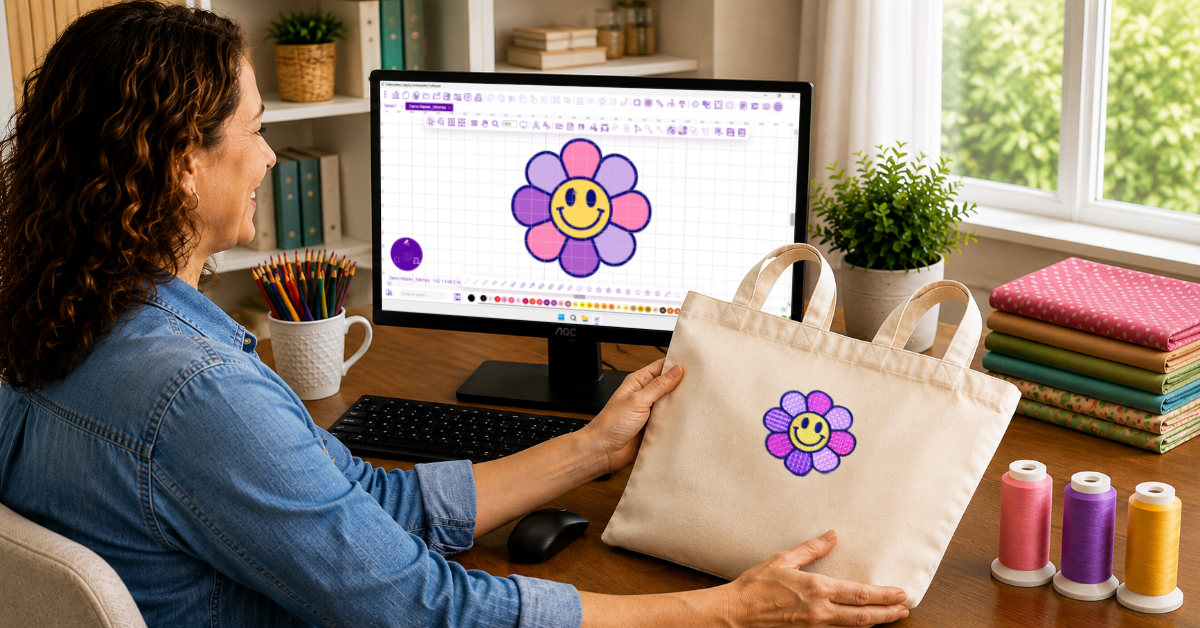
You’ve stitched plenty of ready-made embroidery designs. You’ve personalized projects, changed colors, added names, and maybe even found yourself thinking, "I wish I could just make exactly what I want”.
That’s where embroidery digitizing comes in.
Digitizing gives you the freedom to turn your own artwork, lettering, logos, illustrations, and ideas into designs your embroidery machine can stitch.
The exciting part is the creative freedom. The intimidating part, for many hobbyists, is the software.
Traditional digitizing programs can feel crowded, technical, and difficult to learn. When you’re already trying to understand stitches, underlay, density, and fabric behavior, the last thing you need is software that makes the process even more confusing.
That’s exactly what Embroidery Legacy Digitizing Software changes.
Created around a simpler, more logical digitizing workflow, it gives embroiderers access to professional-quality tools without the unnecessarily complicated experience often associated with digitizing software.
So, What Exactly Is Embroidery Digitizing?
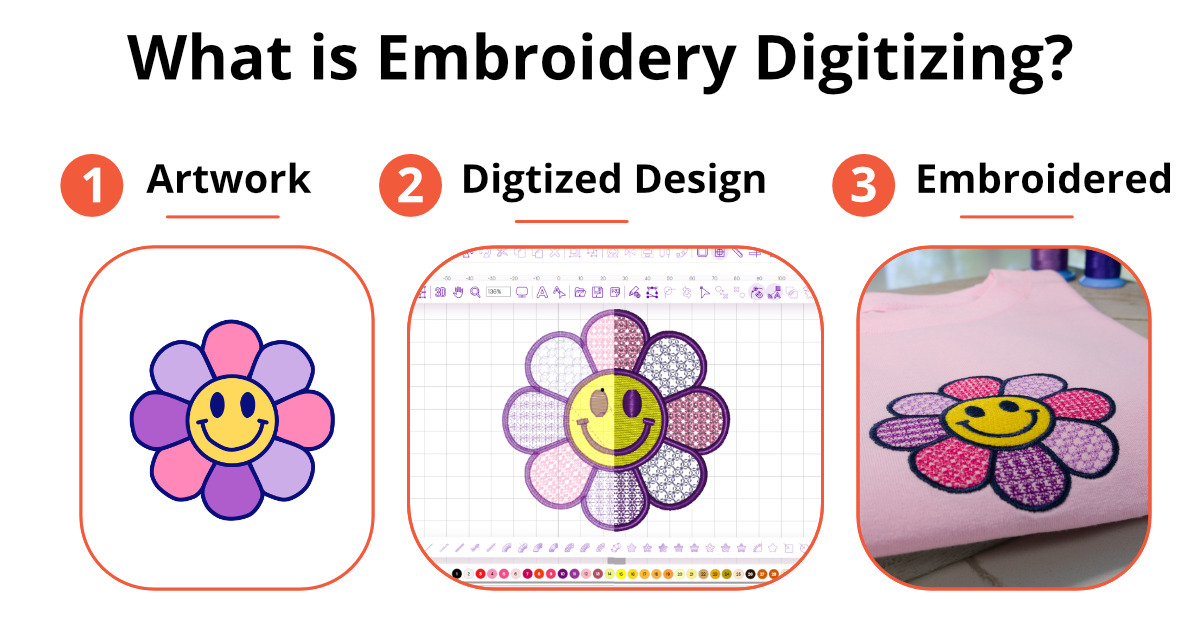
Embroidery digitizing is the process of creating a design file that tells your embroidery machine how to stitch a design.
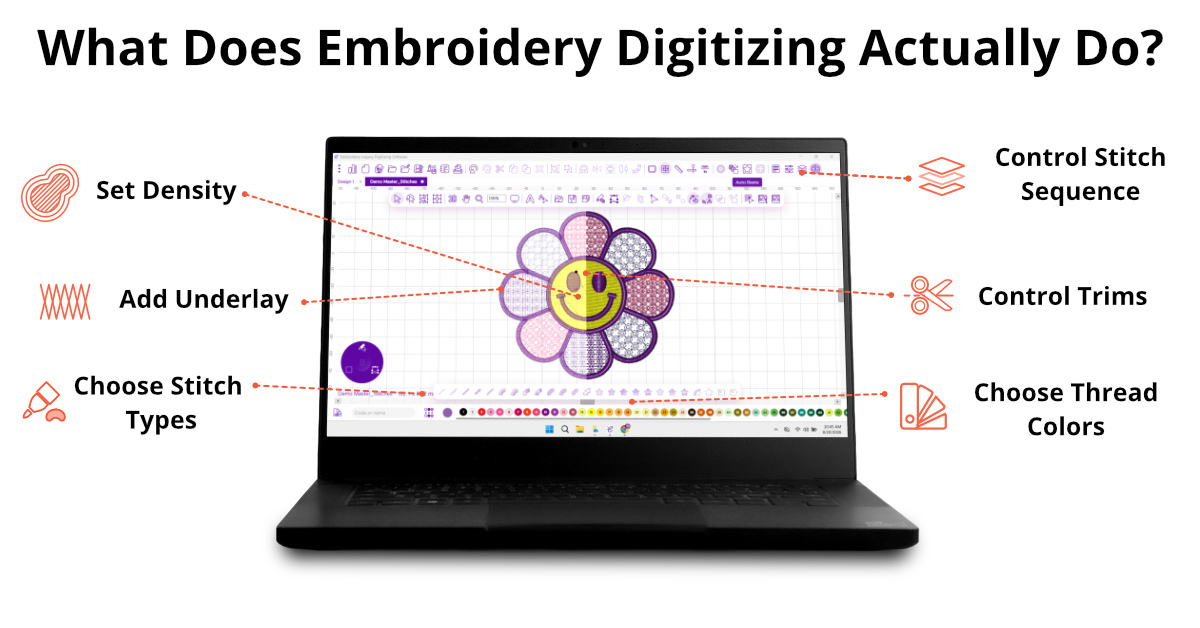
It’s more than simply converting a JPG or PNG into an embroidery file. A properly digitized design contains instructions for things like stitch type, stitch direction, density, underlay, sequencing, trims, and compensation for the way fabric moves during embroidery.
All of those decisions affect the finished result.
That might sound like a lot when you’re first getting started, but you don’t need to master everything at once. Like any creative skill, digitizing becomes easier with practice and the right teacher.
And having software that feels intuitive can make that learning process a whole lot more enjoyable.
Why Embroidery Legacy Digitizing Software Is a Great Fit for Hobbyists and Beginners
Great digitizing software shouldn’t feel like a barrier between you and your creativity. It should feel like a tool that helps you bring your ideas to life.
That’s the approach Embroidery Legacy takes.
The software was built to give embroiderers access to powerful, professional digitizing tools while removing much of the clutter and friction that can make traditional software frustrating.
Whether you want to create personalized lettering, detailed artwork, appliqué, decorative designs, or something completely original, Embroidery Legacy gives you the creative control to turn virtually any idea into stitches.
Powerful doesn’t have to mean complicated.
That’s what makes Embroidery Legacy especially appealing for hobbyists and beginners. You get the capabilities of professional digitizing software in an environment designed to feel fun and approachable.
A Cleaner Workspace That Lets You Focus on Creating
Open some older embroidery programs, and you may feel like you’ve stepped back in time.
There are buttons everywhere, stacked toolbars, hidden menus, and limited room for the design itself.
Embroidery Legacy took a different approach.
The interface is designed to reduce clutter and give you more space to work, keeping important tools accessible without making the screen feel overwhelming.
For hobbyists, that matters more than it might sound.
You’re usually digitizing because you want to create something fun or meaningful, not because you want to spend your evening searching through menus.
A cleaner workspace makes it easier to stay focused on the design in front of you.
A Digitizing Workflow That Actually Makes Sense
The layout is only part of what makes software easier to use.
The workflow matters just as much.
Embroidery Legacy’s digitizing software was designed by John Deer to streamline the digitizing process and remove unnecessary, repetitive steps.
John approached the software as a professional digitizer who has spent decades creating embroidery designs and teaching others how to digitize. Over the years, he saw the same problem again and again: embroiderers struggling with clunky software that made an already technical craft harder than it needed to be.
So Embroidery Legacy was built around simplifying the process and removing unnecessary steps.
At the center of that workflow is the Digitizing Widget, which keeps your core creation tools right on the canvas, including the tools you’ll use most often for runs, satins, fills, and other common digitizing tasks.
Think of it like having all your paint laid out on a palette instead of opening a different paint can every time you need another color.
Instead of constantly hunting through menus and toolbars, you can stay focused on the design itself and move through the digitizing process more naturally.
For the person using it, that means fewer roadblocks between having an idea and turning that idea into stitches.
Smart Tools Built Around Embroidery Theory
Almost every digitizing program gives you tools.
What matters is how those tools help you create better embroidery.
Embroidery Legacy includes unique tools and theory-based features designed around how embroidery actually behaves when it stitches.
One example is its new All-In-One Artwork Mode, which lets you draw or trace a shape and then instantly assign different stitch types without switching tools every time. You can create the artwork first, then decide whether that shape should become a run, satin, fill, or another stitch type, all within the same workflow.
That makes experimenting with a design faster and more intuitive, especially when you’re still learning how different stitch types affect the finished result.
A design can look beautiful on a computer screen and still stitch poorly if the digitizing doesn’t account for things like fabric movement, stitch direction, density, underlay, and compensation.
Good digitizing software shouldn’t only help you draw shapes on screen. It should help you make decisions that lead to better embroidery at the machine. Embroidery Legacy is designed to do exactly that.
As you learn more, you’ll start looking at designs differently.
Should this area use a satin stitch or a fill?
Which direction should the stitches run?
What should stitch first?
Those are the questions that turn digitizing from simply using software into a creative skill.
Easy to Use Without Limiting What You Can Create
An intuitive workflow shouldn’t come at the expense of creative control.
Embroidery Legacy combines ease of use with professional-level digitizing capabilities, giving you the freedom to create everything from personalized lettering and appliqué to intricate artwork, decorative stitch effects, detailed multi-object designs, and much more.
The difference is that all that power is presented in a way that feels logical and approachable rather than hidden behind unnecessary complexity.
So whether your idea is simple, detailed, artistic, traditional, or completely outside the box, the software gives you the tools and control to sew it.
Your creativity sets the limit, not your software.
Learn the Art of Digitizing, Not Just the Software.
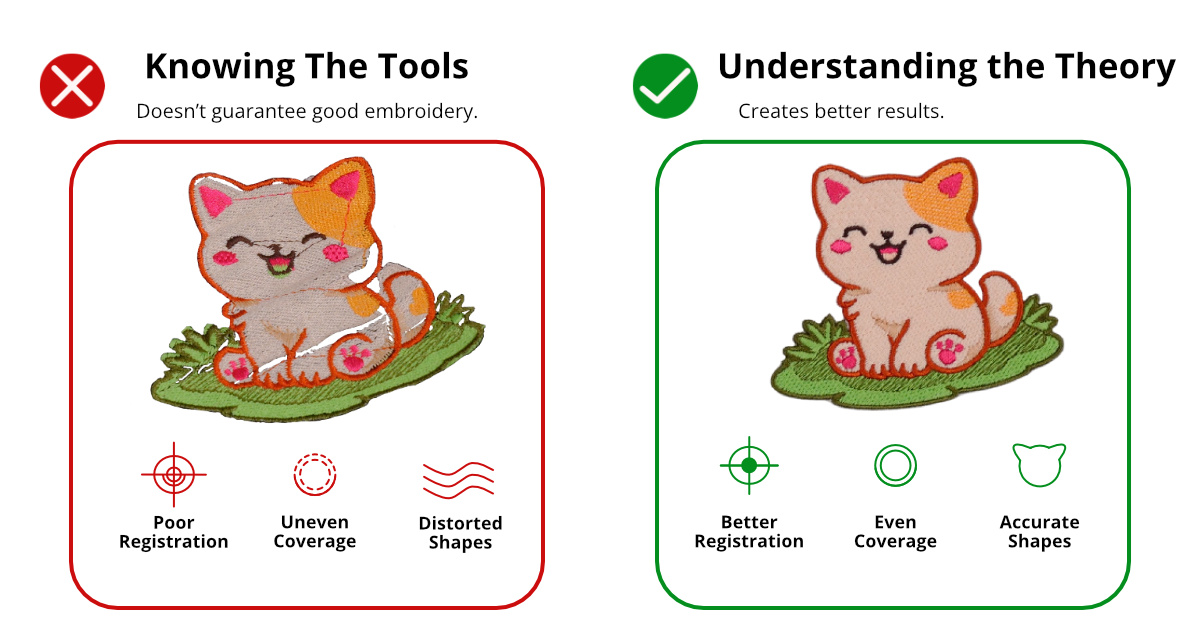
Great digitizing isn’t just about knowing where the buttons are. It’s about understanding why embroidery behaves the way it does.
Why did that area pucker? Why did the outline shift? Why does one satin stitch look smooth while another looks crowded? Why does the same design sew differently on a towel than it does on a stable woven fabric?
Those aren’t really software questions. They’re digitizing questions.
That’s one of the biggest differences behind Embroidery Legacy. The software was created by John Deer, the world’s most awarded embroidery digitizer, who has spent decades not only creating professional embroidery designs, but teaching others the theory behind what makes great embroidery work.
Instead of simply showing you which tool to click, Embroidery Legacy’s educational approach helps you understand concepts like stitch direction, underlay, density, sequencing, compensation, and fabric interaction, so you can make better decisions when creating your own designs.
And that learning doesn’t stop with the software itself. Owners also gain access to educational resources, masterclasses, live Q&A opportunities, and a community where they can ask questions and continue improving their skills.
In other words, you’re not just learning how to use digitizing software. You’re learning how to digitize.
Use It With the Embroidery or Quilting Machine You Already Own
One of the first questions to ask before choosing any embroidery software is simple:
Will it work with my machine?
Embroidery Legacy supports virtually all major embroidery machine brands and exports more than 25 embroidery file formats, including formats commonly used by Brother, Baby Lock, Bernina, Janome, Husqvarna Viking, Pfaff, Singer, Poolin, Tajima, and others.
But there’s another capability that makes it especially interesting for creative hobbyists.
It can also create files for quilting machines.
That’s unusual for embroidery digitizing software and especially useful if your craft room includes more than just an embroidery machine.
Embroidery Legacy can export quilting machine formats such as: PAT, CQP, HQF, IQP, TXT, PLT, SSD, and QLI.
So if you enjoy both embroidery and quilting, you don’t necessarily need completely separate design programs for each hobby.
You can use a familiar creative environment to produce designs for both.
For makers who love exploring different textile crafts, that flexibility opens up even more creative possibilities.
Create Designs That Are Actually Yours
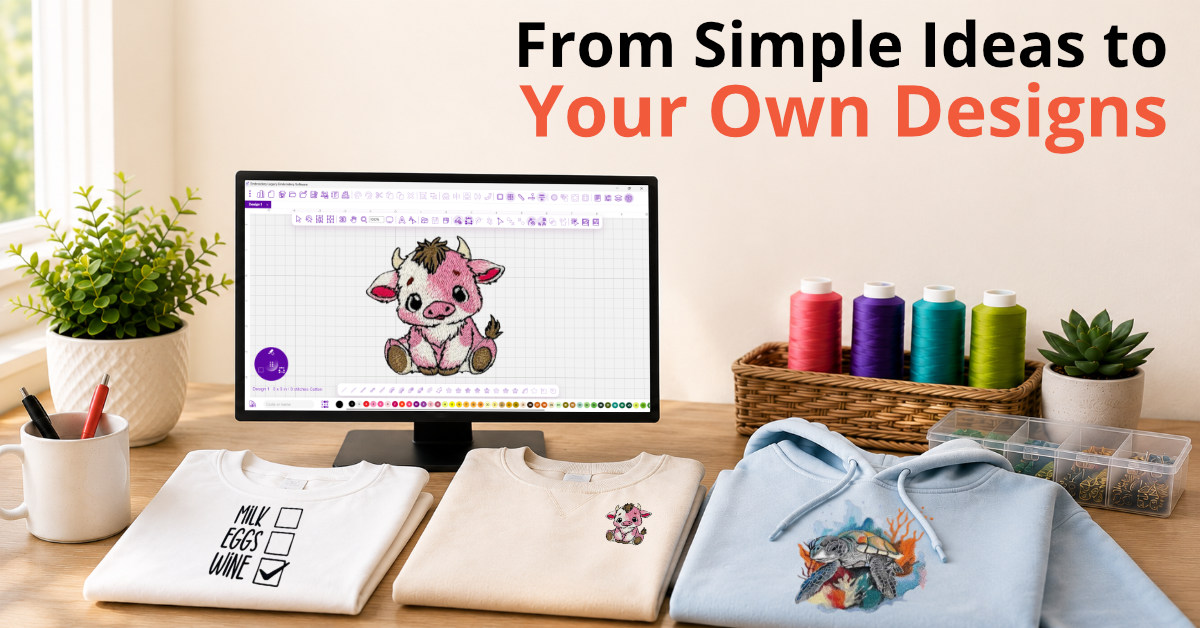
Of course, the real fun comes from what you get to make.
Maybe you want to turn a child’s drawing into a keepsake. Create a custom design for a jacket. Personalize a towel set. Make a holiday project that no one else has. Digitize a favorite piece of artwork. Or finally create the exact design you’ve been searching for but can never seem to find.
You don’t need to be a professional artist, either.
Many embroidery designs begin with simple artwork, lettering, shapes, clipart, sketches, or logos.
Once you understand how those elements can be translated into stitches, everyday ideas can become something uniquely yours.
Already Have a Design? Make It Your Own
Creating from scratch isn’t the only reason to use embroidery software.
Sometimes you already have a design you like, but it isn’t quite right for the project.
Maybe you want to change the lettering or colors, adjust a shape, rearrange elements, resize part of the design, or tweak stitch properties to better suit the fabric you’re using.
Depending on the original file, digitizing software gives you much more control over how an embroidery design looks and stitches.
That ability to customize can be especially useful for hobbyists who enjoy putting a personal spin on everything they make.
Which Embroidery Legacy Software Is Right for You?
Not every embroiderer wants the same level of creative control.
Some people mainly want to edit and personalize designs. Others want to create their own embroidery from the ground up.
Embroidery Legacy offers different embroidery software options depending on how you like to create and what you want to accomplish.
If your goal is to create custom embroidery designs with full control over the digitizing process, Embroidery Legacy gives you the tools and freedom to do exactly that.
And because powerful capabilities don’t have to come with a complicated workflow, you can focus less on fighting with the software and more on creating.
Ready for Embroidery Digitizing Software That’s Actually User-Friendly?
Digitizing can feel technical when you’re first introduced to it, but it doesn’t have to feel overwhelming.
The right software can make a big difference, especially when it combines an uncluttered workspace, a logical digitizing workflow, embroidery theory, professional tools, and education that helps you understand what you’re doing along the way.
That’s the idea behind Embroidery Legacy’s easy-to-use digitizing software.
For hobbyists, small business owners, and beginners who want professional digitizing power without unnecessary complexity, it offers an easier way to move beyond ready-made designs and start turning virtually any creative idea into stitches.
Ready to create your own embroidery designs? Try the free demo of Embroidery Legacy software and see what you can create.

Share tips, start a discussion or ask other students a question. If you have a question for an expert, please click here.
Already a member?
No Responses to “Why Embroidery Legacy Digitizing Software Stands Out”